2 places to save a subscriber
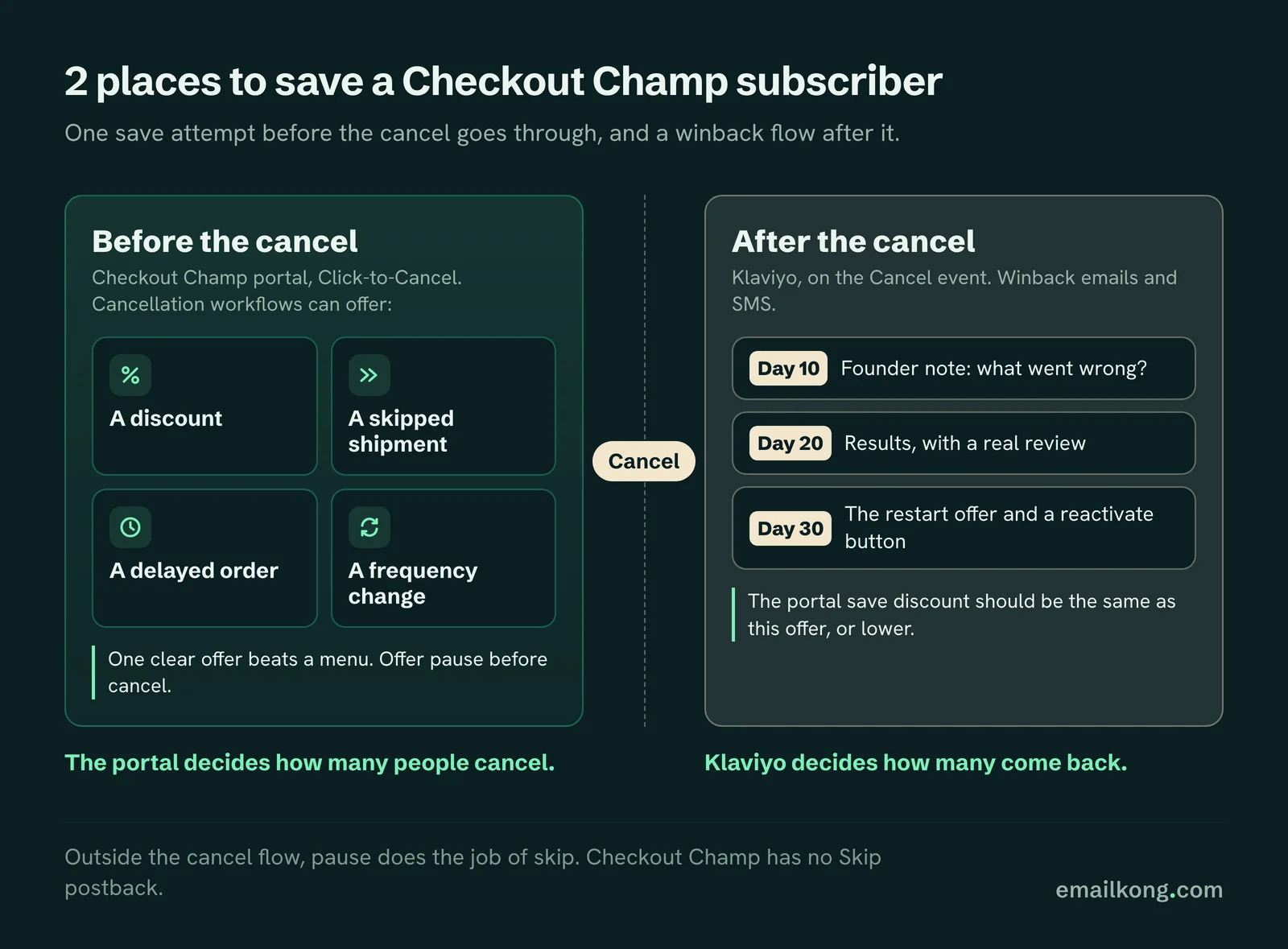
There are 2 chances to keep someone who wants to leave:
| Moment | Where it happens | What you control |
|---|---|---|
| Before the cancel | Checkout Champ's customer portal, Click-to-Cancel | Cancellation workflows can offer a discount, a skipped shipment, a delayed order or a frequency change before the customer cancels |
| After the cancel | Klaviyo, on the Cancel event | Winback emails and SMS |
The portal decides how many people cancel. Klaviyo decides how many come back. Most Checkout Champ brands we see have neither set up.
Before the cancel: Click-to-Cancel
Checkout Champ's portal lets customers cancel, pause, restart, edit their order and update their card. Its Click-to-Cancel feature can show a save offer before the cancel goes through.
What we look at in the portal:
- Is pause offered before cancel? Many people who cancel just have too much product. A pause keeps them.
- Is the save offer sized right? One clear offer beats a menu. If it is a discount, it should be the same one the winback flow uses later, or lower.
- Is there a skip option? Checkout Champ's postbacks have no Skip trigger. The Checkout Champ portal offers pause and cancel; skipping a shipment is available only as a save offer inside the cancel flow. Outside it, pause does the job of skip.
Our cancel flow guide covers which offer fits which cancel reason. It is written for Loop and Recharge, but the offers carry over.
After the cancel: the winback flow
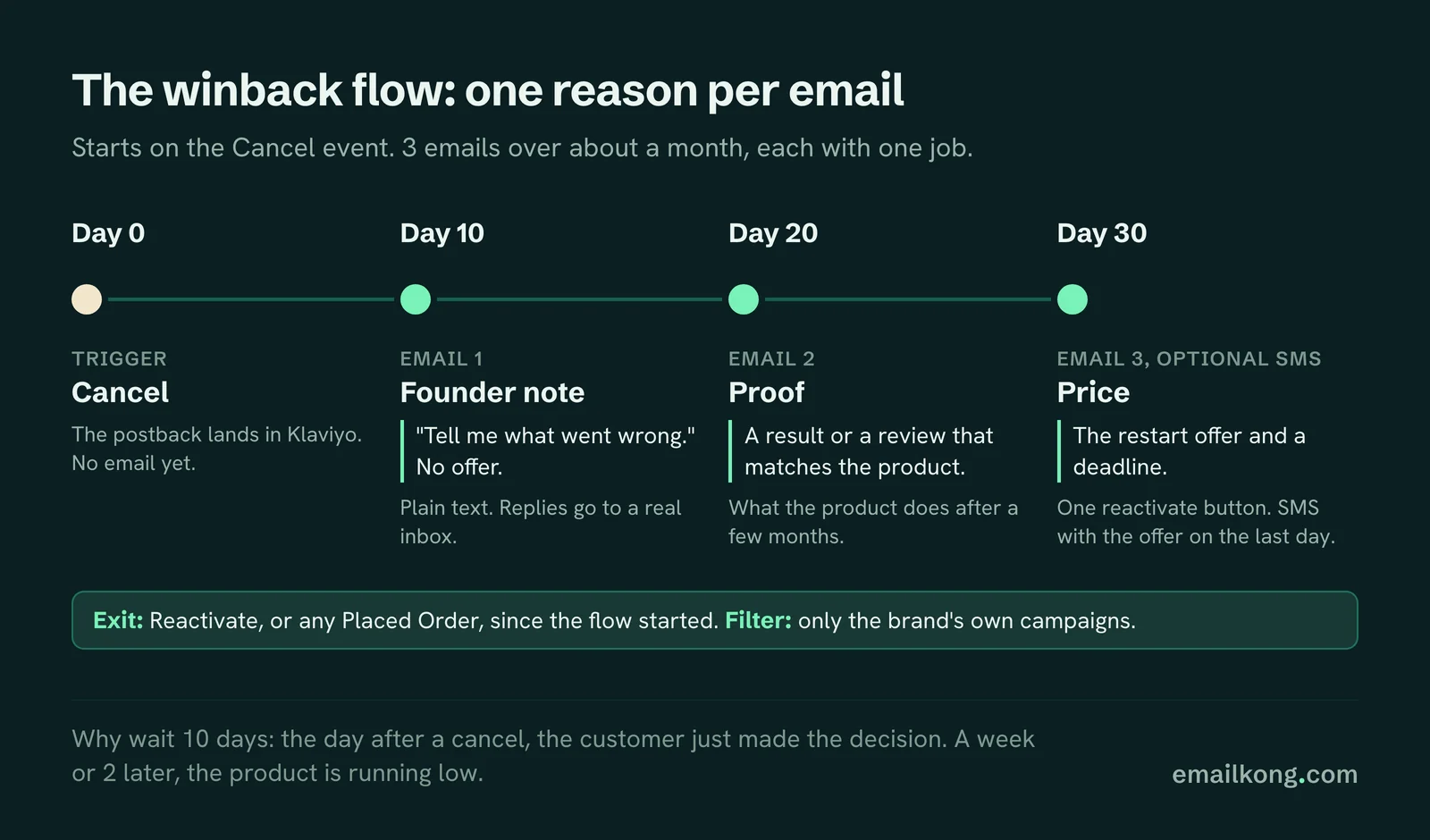
Trigger: Checkout Champ Cancel event in Klaviyo. Exit: Reactivate, or any Placed Order, since the flow started. Filter: only the brand's own campaigns, so a shared Checkout Champ account doesn't email another brand's customers.
Our shape, based on what we built for HolySwish:
- Email 1, around day 10. A plain text note from the founder. Short, personal, asking what went wrong. Replies go to a real inbox.
- Email 2, around day 20. Results. What the product does after a few months, with a real review.
- Email 3, around day 30. The offer. One clear restart deal and a reactivate button.
- SMS, optional. For subscribers with consent, with the offer on the last day.
Waiting 10 days before the first email matters. The day after a cancel, the customer just made the decision. A week or 2 later, the product is running low.
One reason per email
The biggest mistake in winback emails is listing every reason to come back in every email. It reads like a brochure and nobody acts on it.
Give each email one job:
| The one reason | |
|---|---|
| 1 | "Tell me what went wrong." No offer. |
| 2 | Proof. A result or a review that matches the product. |
| 3 | Price. The restart offer and a deadline. |
Use the cancel reason when you have it
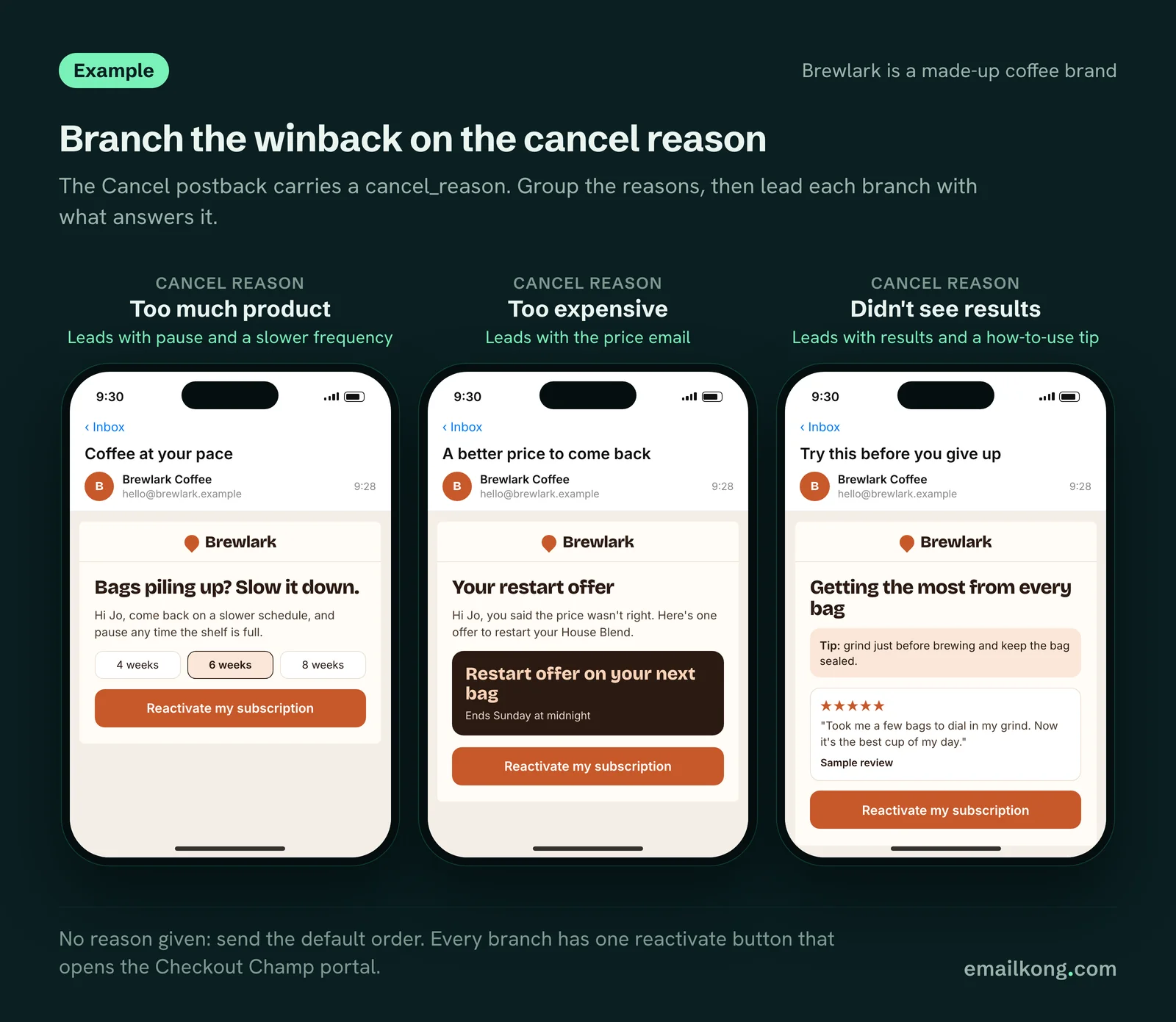
The Cancel postback carries a cancel_reason, which can be a preset reason or whatever the customer typed, so group the reasons before you branch on them. When the reason is there, branch on it:
- Too much product: lead with pause, and a slower frequency if you offer one.
- Too expensive: the price email first.
- Didn't see results: the results email first, and a how-to-use tip.
- No reason: the default order above.
The reactivate button
Each winback email has one button that opens the reactivate page in the customer's Checkout Champ portal. When the subscriber reactivates, Checkout Champ fires Reactivate, and Klaviyo takes them out of the flow. The plugin also sends Subscription Restarted, which works as a second exit.
If your offer needs a coupon, check that it applies on the reactivated subscription before you send it.
Stop marketing to people who just cancelled
Cancelled subscribers often keep getting "your next box ships soon" campaigns because Klaviyo doesn't know they left. Once the Cancel event is in Klaviyo:
- Exclude everyone with a Cancel in the last 30 days and no Reactivate since from subscriber-only campaigns.
- Move them into a lapsed subscriber segment for winback campaigns.
Switch off the Checkout Champ cancellation email
Checkout Champ has Cancellation and Paused autoresponders that send through your email server. Turn them off before the Klaviyo flow goes live. If you need a cancel confirmation for legal reasons, keep one, but write it plainly and keep the offer for Klaviyo.
Paused subscribers
The Pause postback gets its own flow. For HolySwish we used 3 emails, with no discount in the first 2 and an offer only in the last, and a resume button that opens the right page in the Checkout Champ portal. Paused subscribers haven't left. Don't treat them like they have.
Book your free Checkout Champ check
A 20-minute call. We look at what your Checkout Champ sends to Klaviyo, whether rebills reach it, which subscription emails are missing and whether Checkout Champ autoresponders double-send.
Book your free Checkout Champ check
Prefer a written review of your whole Klaviyo account? Get a free Klaviyo audit.