Quick diagnosis
| What you see in Klaviyo | Likely cause | Fix |
|---|---|---|
| Revenue far below your Checkout Champ dashboard | Rebills not sent | Tick the rebill toggle and add a Rebill Success route |
| Every Placed Order has OrderType NEW_SALE | Rebills not sent | Same as above |
| No orders at all | Plugin key wrong, or campaign not routed | Check the key's account and the routes |
| The same decline or cancel twice | Postback retries not deduped | Give every event a stable ID |
| Customers you don't recognise | Another brand's campaign routed to your Klaviyo | Filter by campaign |
| "Shipping Protection" in abandoned cart emails | It is a cart item | Hide it in the template |
| Customers get 2 emails for 1 event | Checkout Champ autoresponders still on | Switch them off |
1. Orders and revenue missing: rebills off
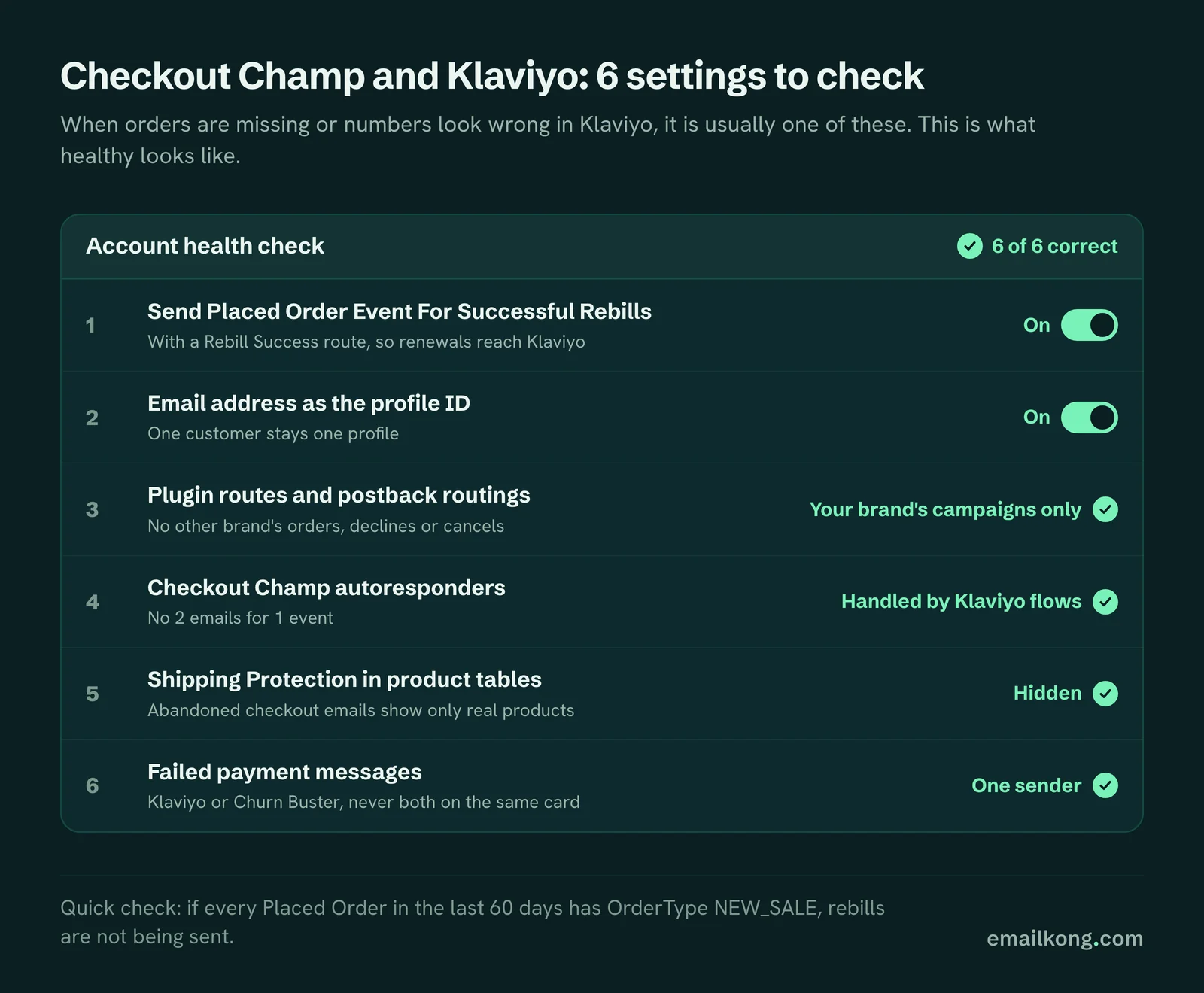
Checkout Champ's Klaviyo plugin sends Placed Order for first orders only, until you tick "Send Placed Order Event For Successful Rebills" and create a Rebill Success route for each campaign.
How to check: open the Placed Order metric in Klaviyo and look at OrderType. If every order in the last 60 days is NEW_SALE and you have subscribers past their first rebill, rebills are off.
When HolySwish moved to Checkout Champ, this was the first thing we found. Every order in Klaviyo was a first order.
What it breaks:
- Klaviyo revenue reports under-count, so flows and campaigns look weaker than they are.
- Repeat purchase segments don't include subscribers.
- Flows with a "placed order since" exit never exit on a renewal.
After the fix, filter post-purchase flows on OrderType equals NEW_SALE, or every renewal restarts them.
2. Duplicate events
Checkout Champ resends a postback until the receiving side confirms it, in runs about every 15 minutes. If the first send arrived but the confirmation got lost, the same event lands again.
What you see: 2 Rebill Decline events a few minutes apart, and a subscriber in the same flow twice.
The fix is a stable ID on every event, built from the subscription and the billing cycle, so Klaviyo keeps the first and ignores the rest. Zapier and generic webhook tools don't do this for you.
Duplicate profiles are a different problem. If the plugin is not set to use the email address as the profile ID, Klaviyo keys profiles on the session ID, which can split one customer into several profiles. Use the email address, so one customer stays one profile.
3. Multi-brand accounts leaking into the wrong Klaviyo
Many Checkout Champ accounts hold more than one brand, or a white-label version of the same product. Postbacks and plugin routes are set per campaign. If a route or postback covers all campaigns, another brand's orders, declines and cancels land in your Klaviyo.
We found exactly this on a live account. Another brand's orders and cancels were landing in our client's Klaviyo, so our client's flows would have emailed the other brand's customers.
How to check:
- Look at the campaign name and sales URL on recent events. Anything that isn't your brand is a leak.
- In Checkout Champ, check every plugin route and postback routing for "all campaigns".
How to fix:
- Route the plugin only to your brand's campaigns.
- Filter postbacks by campaign before they reach Klaviyo.
- Add a sales URL filter to flows on Placed Order, as a second guard.
4. Shipping Protection showing as a product
If you sell Shipping Protection as an add-on, it comes through in Started Checkout as a normal cart item. Abandoned checkout emails then show "Shipping Protection" with a price, next to the real product.
Fix: in the Klaviyo product table, hide any item whose name is Shipping Protection. Do the same in any post-purchase email that lists items.
Also check the Started Checkout template. Checkout Champ's payload has an items list and a sales URL, with no currency field and no Shopify-style line items. A template copied from a Shopify store renders empty.
5. Checkout Champ autoresponders double-sending
Checkout Champ has autoresponders for Cancellation, Paused, Pre-Billing, Recurring Order Declined, Card Updated and Subscribe and Save. They send through your own email server, so they never show up in Klaviyo. That's why they get missed.
What you see: customers reply "why did I get 2 emails?" or forward a plain Checkout Champ email you didn't know existed.
Fix: list every active autoresponder per campaign. Turn off each one that a Klaviyo flow replaces, the day the flow goes live. Keep any you are legally required to send, and don't build a Klaviyo duplicate of them.
6. Smaller things worth checking
- Test Card orders don't export through webhooks. Test postbacks with a real low-value order.
- Wrong Klaviyo account. A plugin key copied from another brand's account sends everything to the wrong place.
- SMS consent missing. With the Subscribe Profiles API, phones aren't opted in to SMS unless consent is passed at checkout.
- Revenue on non-revenue events. If declines or cancels carry a value, Klaviyo can count them as revenue.
Book your free Checkout Champ check
A 20-minute call. We look at what your Checkout Champ sends to Klaviyo, whether rebills reach it, which subscription emails are missing and whether Checkout Champ autoresponders double-send.
Book your free Checkout Champ check
Prefer a written review of your whole Klaviyo account? Get a free Klaviyo audit.